XBOX xemu Emulator
XBOX MacoS Windows
Xemu is an open-source, free cross-platform emulator built exclusively for the original Microsoft Xbox console (released in 2001, often called OG Xbox). It recreates the full physical hardware of the first Xbox on modern computers, letting users launch original Xbox games and homebrew software without needing a physical vintage console.
Supported Operating Systems & Emulation Principle
- Xemu runs natively on Windows 10/11, macOS, and all mainstream Linux distributions. Its full source code is published on GitHub for public viewing and modification.
- It performs low-level hardware emulation. The program fully replicates the OG Xbox’s CPU, GPU, memory, sound card, and MCPX boot chip, resulting in broad compatibility with both retail games and custom homebrew programs from the original console era.
- Critical clarification: Xemu only emulates the original 2001 Xbox. It cannot run titles designed for Xbox 360, Xbox One, or Xbox Series consoles.
Core Features for Gameplay
- HD Visual Enhancement
Most native original Xbox games were locked at standard-definition 480p. Xemu supports custom render scaling, allowing players to upscale visuals to 720p, 1080p, or higher resolutions. This eliminates blurriness and fits old games to modern high-resolution monitors. - Controller & Multiplayer Support
Nearly all wired and wireless gamepads work with Xemu, including Xbox controllers, PlayStation controllers, and arcade sticks. Up to 4 controllers can connect simultaneously to match the original console’s local multiplayer. Local split-screen gameplay is fully supported, alongside LAN System Link play. Gamers can connect online with other Xemu users or physical original Xbox consoles, and the emulator simulates Xbox headsets for in-game voice chat. - Save State Functionality
Beyond standard in-game saving, Xemu features save states (snapshots). Players can instantly save the entire emulator state at any time and reload later. This makes tough retro gameplay much easier; users can save right before difficult boss fights and retry immediately after failing. Hotkeys can be customized for fast saving and loading. - Wide Software Compatibility
The majority of retail original Xbox disc games are playable, including iconic hits such as Halo: Combat Evolved, the original Forza Motorsport, Fable, and Ninja Gaiden Black. The emulator also supports vintage Xbox homebrew apps, modding tools, custom firmware, and indie fan-made games developed back in the 2000s.
Mandatory Required Files & Copyright Rules
The Xemu application itself is completely free, but hardware emulation requires three critical system files. These files must be dumped legally from your own physical original Xbox console. Downloading or sharing copies sourced from other people’s consoles counts as copyright infringement.
- MCPX boot firmware
- Xbox main BIOS firmware
- Original Xbox internal hard drive image
- Legality note: Users are only permitted to use files extracted from their personally owned OG Xbox hardware.
Hardware Requirements
- Graphics card: Must support OpenGL 4.0. Modern integrated graphics and dedicated GPUs from recent years meet this requirement easily.
- Windows compatibility: Official support starts at Windows 10; Windows 7 has no official compatibility.
- Performance tier: High-end PCs run most games at maximum speed with upgraded visuals. Mid-range computers deliver smooth gameplay for most popular original Xbox titles.
Additional Advanced Capabilities
- Built-in debugging tools simplify modding, fan translation, and code modification for original Xbox games.
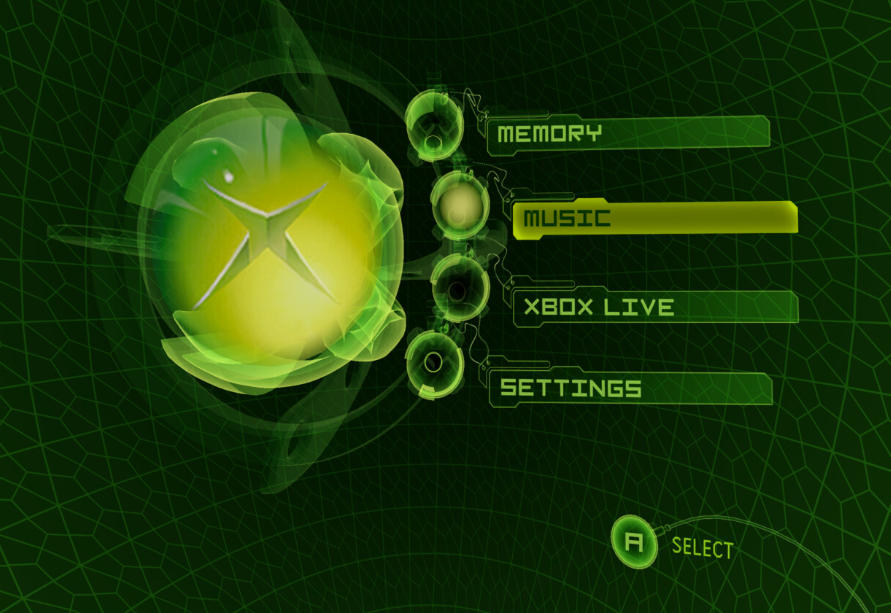
- The emulator fully mimics the original Xbox’s media and file storage functions, letting users replicate classic features like custom background music and local file management.
- The community maintains a public compatibility list, marking each game as fully playable, partially broken, or unlaunchable, helping users avoid problematic titles.
Ideal User Groups
- Retro gaming fans whose physical original Xbox hardware has degraded or hard-to-find replacement parts, wanting to revisit exclusive classic games affordably.
- Game collectors who want to build a high-definition digital library of original Xbox games.
- Homebrew enthusiasts looking to run vintage custom Xbox software and join retro online multiplayer sessions.
XBOX Xemu Emulator Introduction
Xemu is a free, open-source, cross-platform emulator designed exclusively for the original 2001 Microsoft Xbox (OG Xbox). It accurately replicates full OG Xbox hardware on modern devices, allowing users to play classic Xbox titles and homebrew software without a physical vintage console. While many gamers still enjoy original Xbox hardware, Xemu delivers far greater portability and flexibility, supporting cross-device gameplay and cloud-aligned save progression for a seamless modern retro gaming experience.
Supported Platforms & Core Emulation Principles
- Xemu runs natively on Windows 10/11, macOS, and all major Linux distributions, with its complete source code publicly available on GitHub for transparency and community optimization.
- The emulator utilizes professional low-level hardware emulation technology, fully replicating the OG Xbox’s CPU, GPU, sound card, memory, and MCPX boot chip. This precise hardware simulation eliminates lag, delay, and visual glitches commonly found in low-quality emulators, turning modern devices into authentic Xbox gaming systems.
- Important note: Xemu only supports original Xbox games and software. It is not compatible with Xbox 360, Xbox One, or Xbox Series console titles.
Full Game Compatibility & Smooth Performance
Thanks in-depth testing and continuous system optimization by the development team, Xemu boasts near-full compatibility with official retail original Xbox games. Beyond mainstream classic titles, it also supports exclusive homebrew and unreleased indie Xbox games developed by individual creators, expanding players’ gaming library far beyond the official console lineup.
The optimized core ensures stable, fluid gameplay across devices, even on mobile hardware. It handles graphically intensive Xbox games perfectly without frame drops, stuttering, or crashes, delivering consistent high-performance gaming at all times.
Authentic Console Gaming Experience
Unlike basic game simulators that alter gameplay feel, Xemu’s accurate hardware replication preserves the authentic original Xbox gaming experience in every detail. All in-game controls, physics, audio feedback, and visual effects match the feel of playing on a physical console, so players will never feel unnatural or disjointed during gameplay.
HD Visual & Custom Gameplay Features
Most original Xbox games natively run at low 480p standard definition. Xemu breaks this limitation with custom render scaling, allowing users to upscale game visuals to 720p, 1080p, or higher resolutions. This upgrades retro graphics for modern high-resolution monitors and delivers a crisp, refreshed visual experience.
The emulator supports all mainstream wired and wireless controllers, including Xbox and PlayStation gamepads, plus arcade sticks. Up to 4 simultaneous controllers enable local 4-player split-screen gameplay, while built-in LAN System Link support allows cross-device multiplayer with other Xemu users and physical OG Xbox consoles. Integrated headset simulation also supports in-game voice chat for complete social gaming functionality.
Advanced Save State & Cross-Device Sync System
Xemu features a powerful, reliable snapshot (save state) system that revolutionizes retro gaming flexibility, far surpassing the limitations of traditional in-game checkpoints. Gamers often face unexpected interruptions or challenging in-game segments, and this robust save system solves these pain points perfectly.
- Instant Progress Saving: Players can save their game progress at any arbitrary point. If the game is closed accidentally, it resumes exactly where it left off, ensuring continuous, uninterrupted gameplay.
- Independent Fast Checkpoints: Unlike physical Xbox consoles that require time-consuming progress verification during restarts, Xemu’s save states load instantly, eliminating waiting time and streamlining gameplay.
- Flexible Gameplay & Time-Saving Mechanics: The ability to roll back to any saved snapshot lets players experiment with new gameplay strategies and instantly retry failed attempts, avoiding repetitive gameplay and saving significant time.
- Cross-Device Save Sync: Game progress saved on mobile devices can be seamlessly continued on desktop or console setups. This cross-device synchronization unifies the gaming experience and allows players to enjoy Xbox games freely across multiple devices anytime.
Mandatory Required Files & Copyright Rules
The Xemu application itself is 100% free and open-source. However, accurate low-level hardware emulation requires three core system files legally dumped from a user’s personal physical original Xbox console: MCPX boot firmware, Xbox main BIOS firmware, and the original Xbox hard drive image. Downloading or sharing third-party system files constitutes copyright infringement. Users must only utilize files extracted from their own legitimately owned OG Xbox hardware.
System Hardware Requirements
- GPU: Requires OpenGL 4.0 support, compatible with all modern integrated and dedicated graphics cards.
- OS: Officially supports Windows 10 and above, macOS, and Linux; no official Windows 7 support.
- Performance: Mid-range devices run most classic Xbox games smoothly, while high-end hardware supports max-resolution upscaling and flawless full-speed gameplay for all compatible titles.
Additional Advanced Functionalities
Xemu includes professional built-in debugging tools that support game modding, fan translations, and custom code modifications for retro game enthusiasts. It fully replicates the original Xbox’s media playback and local file storage features, retaining classic console functions like custom background music. The official community maintains a detailed real-time compatibility list, classifying every game as fully playable, partially functional, or unsupported to help users avoid compatibility issues.
Ideal User Groups
- Retro gaming fans seeking a portable, modern alternative to aging physical OG Xbox hardware.
- Game collectors building a high-definition digital library of classic and homebrew Xbox titles.
- Casual and hardcore gamers who want flexible cross-device gameplay and convenient instant save states.
- Homebrew and modding enthusiasts exploring custom Xbox software and retro multiplayer sessions.
Normal download links
| Filename | Type | Size |
|---|---|---|
| xemu Emulator | Windows | 11.15 M |
| xemu Emulator | MacOS | 19 M |