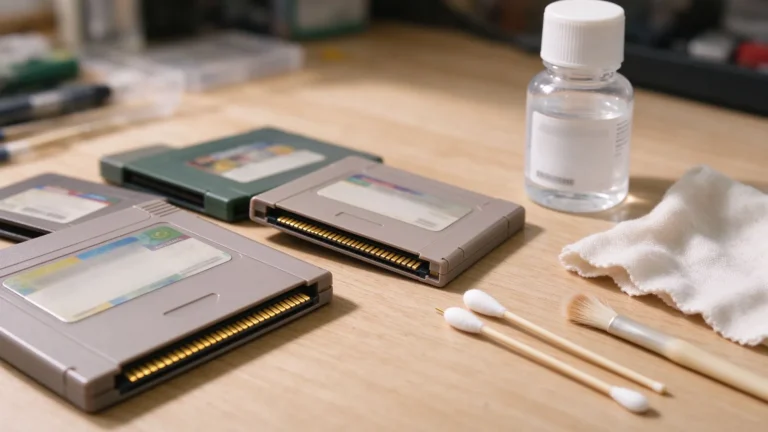
Mega Man Battle Network Revisited: GBA Battle Chips
Mega Man Battle Network revisited: a 3-by-6 grid, coded battle chips and Lan Hikari’s network puzzles keep this 2001 GBA RPG brisk on a handheld.
Mega Man Battle Network arrives on the Game Boy Advance in 2001 from Capcom, and it asks you to forget almost everything you know about Mega Man. There are no platform stages and no boss rush through a castle. Instead, Lan Hikari carries a Navi called MegaMan.EXE inside a handheld terminal, and fights take place on a three-by-six grid where you shuffle between rows and spend chips from a folder. The first few battles feel strange. Within an hour the loop becomes one of the tightest on the system.
A battlefield you step across
The grid is the whole game. Your Navi occupies one panel, enemies occupy others, and you move sideways or between the six columns rather than jumping. Standing still is never neutral, because attacks travel down rows and a panel you linger on becomes a target. The buster is your free attack; chips are the limited resource. That split makes every turn a small economy question: spend a chip now to clear a lane, or save it for a threat two rows away.
What surprises new players is that position matters more than damage. A weak chip placed correctly interrupts an attack before it lands, while a powerful one fired from the wrong row does nothing useful. On a small GBA screen the grid reads clearly because the panels are large relative to the sprites. I still think this is the smartest use of the hardware in the series: the entire tactical picture fits in one glance.
Codes, folders and turn limits
Chips are cards with attack types, sizes and letter codes. Your folder holds a limited number of them, and a code restriction stops you from chaining the same letter freely in one turn. The table shows how that plays out:
| Situation | What the code rule does | Practical result |
|---|---|---|
| Two chips share code A | Only one can be selected that turn | You mix letters or wait |
| Folder has many small chips | Draws stay predictable | Steady damage, few bursts |
| Folder is heavy with big chips | Draws become inconsistent | High peaks, dead turns |
| A code-breaking chip is used | One restriction is ignored | A planned combo goes off |
Folder building is where the game rewards thought. Early on I threw in the biggest attacks I owned and got punished by turns where nothing useful appeared. A lean folder of cheap chips with a couple of finishers is much more reliable, and the code letters force you to plan around what you actually drew. That is a better puzzle than simple damage comparison.
Enemies act on their own lanes
Enemies in Battle Network do not wait for you to approach. Each one telegraphs an attack in its own row, then fires on a rhythm you can learn. Some advance a column at a time, some stay put and warn you with a marker, and some move when you do. Because the lanes are independent, the game becomes an exercise in triage: handle the urgent row now, accept chip damage in another, then reset.
This is why the brisk pace works. A fight lasts a handful of turns, and the danger is legible in a single screen. There is no camera to fight and no loading between encounters. When a battle ends, the chips you spent are gone from your hand for that turn only, and you step back into the world almost instantly. The loop respects your time in a way that later, more elaborate entries sometimes forget.
A world that looks like a browser
The overworld is presented as a network you browse rather than a map you walk. Lan visits real-world-style places and plugs into machines, then navigates a digital version built from icons, folders and password gates. The puzzles lean on that theme: read a note, find a code, open a terminal, reach a deeper area. They are not hard, but they use the interface as the clue, which makes the setting feel earned instead of painted on.
The writing treats Lan and MegaMan.EXE as two halves of one conversation, trading lines between the physical and digital layers. That device keeps short scenes moving. I like how much personality comes out of tiny text boxes on a low-resolution screen, and I do not mind that some of the jokes land better in the original Japanese. Replaying with a save file that already knows the network layout makes the puzzles easy to skim, so a fresh folder and a fresh run are the better way to see them.
Built for short sessions
Everything here suits a handheld. You can start a run, clear two or three battles, solve one terminal puzzle and close the system without feeling interrupted. Save points are frequent, the folder menu is quick, and a battle never asks for more than a few decisions at once. I played this in ten-minute stretches and never lost the thread, which is more than I can say for most role-playing games on the same hardware.
The cost of that design is repetition. Random encounters arrive often, enemy patterns reuse the same lane logic, and long stretches between story beats can feel like a commute through the same corridors. On an original cartridge the load times were short; on an emulator you can trim them further, but the underlying rhythm stays the same. If you want a deep tactical system with long battles, this is not it. If you want a game that respects fifteen minutes, few rivals it.
What has aged
A few things grate now. The menu hierarchy takes getting used to, and managing a folder by hand feels fussy compared with modern automatic sorting. Text moves slowly unless you hold the button, and some translation choices read flat next to the lively character designs. The sprite animation is modest even for 2001, with enemies recycled across areas in ways the small screen used to hide.
What still works is the decision in each turn. Move one row, spend one chip, read one attack. Mega Man Battle Network revisited holds up because that decision is clean, and a clean decision does not need better hardware. Start with a simple folder, keep your chip codes varied, and the first network puzzle will teach you the rest.
Related reading
If you want to keep digging into this corner of the library, these two posts on Roms Get go a little further: