Retro Collecting 101: Cleaning Cartridges, Checking Contacts and Spotting Fakes
A cartridge cleaning and retro collecting tips guide covering safe contact care, diagnosing no-boot carts, identifying reproductions and storage habits that protect a shelf.
Most dead-looking retro cartridges are not dead at all. A dusty label, a thin film of oxidation on edge contacts, or a console slot that has not been cleaned in years can turn a perfectly good game into a blinking boot screen. A healthy collection runs on basic maintenance: inspect before buying, clean contacts safely, test on known-good hardware, and store away from heat and humidity. This guide covers the routine most long-term collectors build into their buying habits.
Why contacts fail and what cleaning can fix
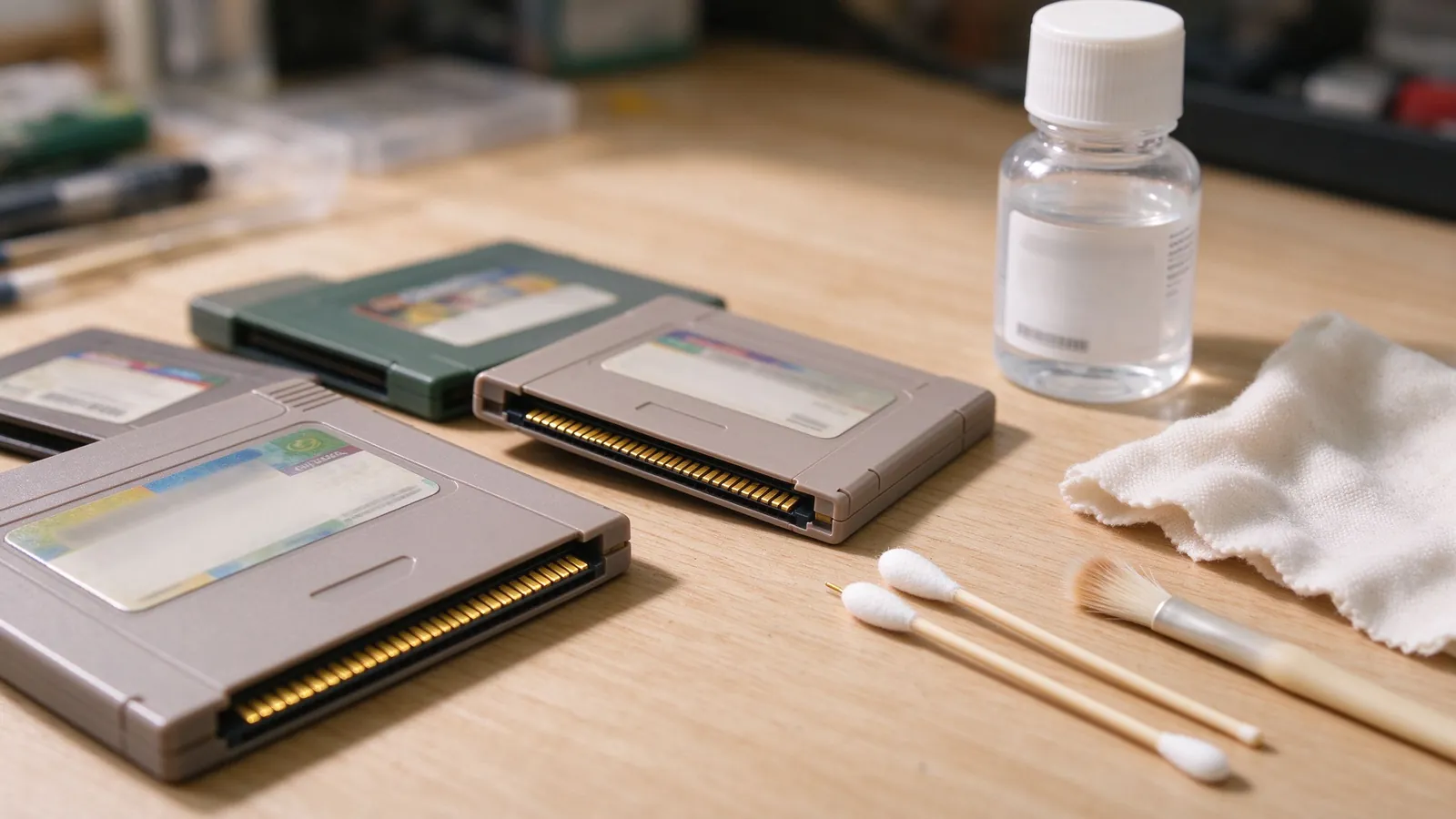
Cartridges connect through a row of metal pins pressed against spring contacts in the console slot. Over years, moisture and air leave a dull oxide film on the pins, and dust or nicotine residue can sit between surfaces so the console reads an empty slot rather than the chip. Symptoms include failure to boot, random graphical glitches midway through play, title-screen freezes or intermittent save detection. Cleaning usually resolves the contact film; it cannot fix cracked boards, failed save batteries or ROM chip damage, so a clean cart that still misbehaves needs a deeper diagnostic.
A safe step-by-step cleaning routine
Work on a static-safe surface with power off and cartridges removed. Use at least ninety percent isopropyl alcohol, preferably ninety-nine percent, because lower concentrations leave more water behind. Dip a lint-free foam or cotton swab until lightly damp, not dripping, and wipe the gold or brass edge contacts gently in straight lengthwise strokes, following the pins rather than scrubbing side to side. Rotate swabs frequently so dirt does not redeposit; let the cart air dry for several minutes before inserting it. Clean the console slot itself with a swab wrapped around a thin card or a dedicated slot brush, because a dirty port contaminates every game you test.
Avoid pencil erasers, which can leave rubber crumbs and scratch soft contacts, and avoid household oils, glass sprays or sprayed lubricants that degrade plastic and labels. Never pour liquid into a cartridge shell; liquid that reaches the PCB can corrode traces underneath. If a board has visible green corrosion, resist the urge to flood it with solvent and inspect under magnification instead.
Spotting reproduction and fake carts
Fake cartridges multiply for popular titles because collectors pay premium prices for sealed boxes. Compare the label first: blurry artwork, wrong font spacing, mismatched gloss stock or a price-sticker residue pattern out of period are warning signs. On the board, genuine releases usually have a clean manufacturer logo, consistent chip part numbers, revision labels and properly aligned screw holes; reproductions often mix generic boards, Chinese-market chip markings, or missing regional code letters. Shell seams may be misaligned, and plastic color can differ slightly from known originals. Test the save function: boot the game, save progress, power off for a few minutes, then reload; a flat save battery on a purchased cart is itself a repair item, not an instant fake, but combine it with label red flags before buying.
When shopping, demand photos of the label, the connector edge and the open board, and check known-value references for regional variants. Our broader note on why retro game preservation matters explains why dumps and board documentation matter beyond resale value, and the Sega-focused piece on classic Genesis games worth owning lists titles whose reproductions circulate most often.
Storage habits that protect a growing shelf
Keep cartridges upright in closed bins or lined shelves away from direct sunlight, radiators and damp basements; heat warps plastic and fades labels, while humidity accelerates battery leakage. Leave label-facing air circulation around boxes, and use acid-free bags only for loose boards, not sealed collector packaging. Keep a simple inventory spreadsheet of title, system, year, condition and repair notes, including any battery replacements. Save batteries in battery-backed carts lose charge over time; budget for replacement coin cells as part of owning the library, and back up save files with emulator tools after dumping a cart you own. Good habits turn a pile of loose games into a collection that still boots a decade from now.