Fight Sticks, Pads and Input Latency in Retro Emulators: A Practical Guide
Input latency in retro emulators mixes physical controller choice, connection type, and emulator settings; this practical guide explains fight sticks, pads, and the delay traps worth checking on any machine.
Street Fighter, King of Fighters, Metal Slug, versus shooters, and precision platformers reward frames of margin. On original arcade hardware the board and screen shared a tight loop; on a PC or phone, a button press passes through a controller, the USB or Bluetooth stack, the emulator input thread, video output, and display refresh before anything moves. A tenth of a second feels invisible in an RPG but kills a Dragon Punch timing window. This guide compares wired pads, fight sticks, and wireless options, then covers emulator-side settings that add or shave delay.
What input latency means in practice
Latency stacks in layers: sensing inside the pad, the connection to the machine, the emulator reading and translating input, rendering and frame limiting, and the monitor or TV drawing the result. Emulator-specific delay appears where the program buffers incoming input to smooth audio-video timing; a larger audio buffer often grows button delay along with it. Test perceptually first: a training combo should start as the finger moves, not after a small hesitation. A short video of the pad buttons next to the screen gives a rough visual check; a visible gap between press and reaction identifies the problem zone.
Wired pads, fight sticks, and the wireless tradeoff
- Wired gamepads. USB pads avoid pairing, polling drift, and battery anxiety; compact SNES and Genesis style layouts suit side-scrollers and four-button fighters. Analog models handle 3D games and racing, while classic D-pad pads win diagonal inputs.
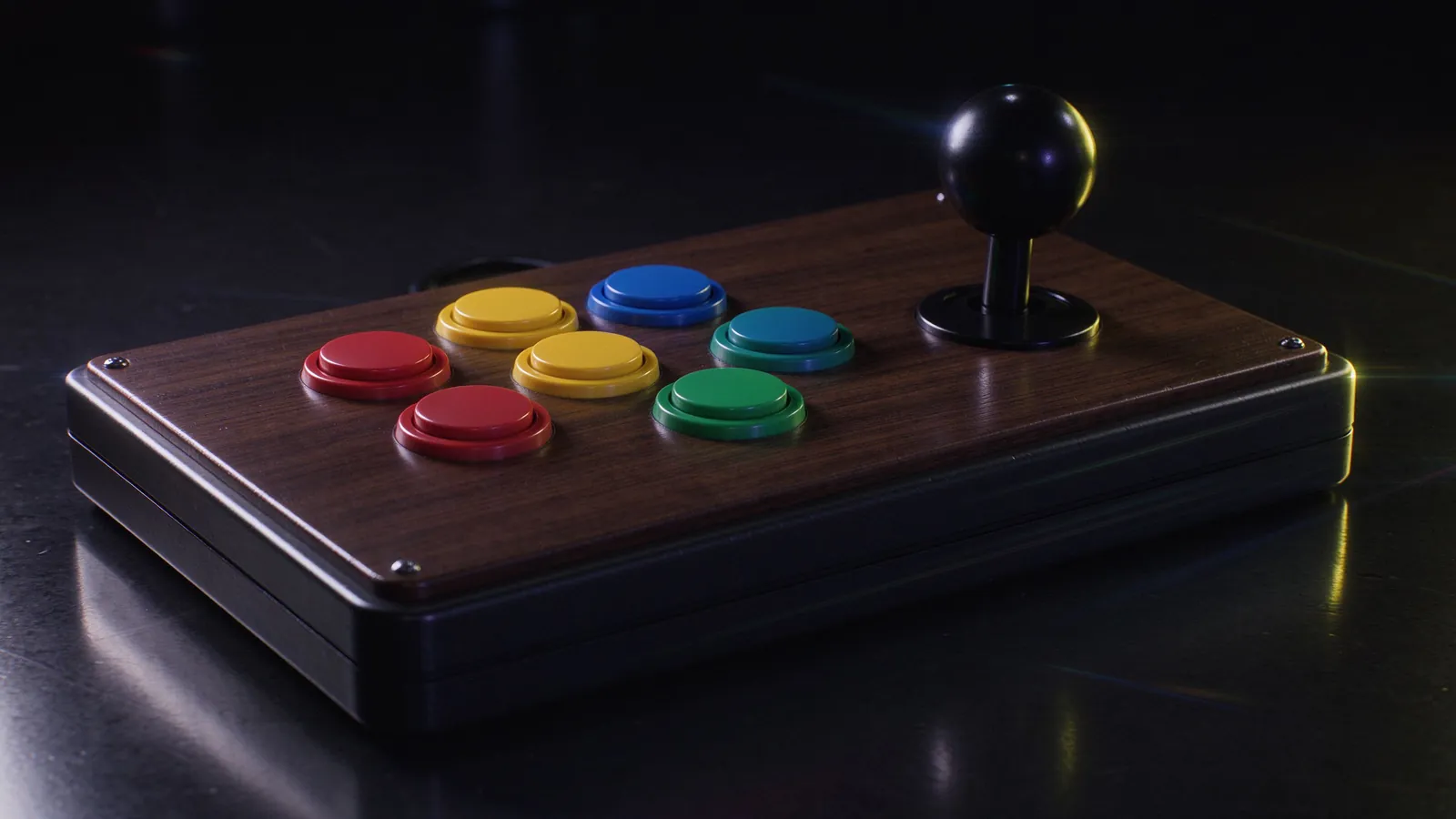
- Arcade fight sticks. Lever and six or eight-button panels mirror cab controls for fighters and CPS, Neo Geo, and MAME shmups; the tall body gives palm support on long sets. Entry models vary in switch quality, so press feel matters more than brand flash.
- Bluetooth and wireless receivers. Convenient and clean-looking, but wireless stacks can add a few milliseconds and occasional re-pairing hiccups; Bluetooth behavior differs per phone chip, so test your own combo before buying extra hardware.
- Keyboard fallback. Built for typing, not arcade spacing; fine for casual NES runs, not competitive fighter practice.
Fight sticks favor fast quarter-circle motions; pads work well when the player prefers shoulders and thumb buttons. For local versus play on one PC, two wired pads usually outperform two half-charged wireless devices mid-match. Our controller selection guide for emulation compares cost, layout, and use case in more detail.
Emulator settings that add or remove delay
Several common options affect response directly. Frame limit and VSync behavior decide whether the emulator renders ahead of input; in many cores, disabling buffered frames or choosing a fast video output reduces perceived lag at the cost of slight tearing. Audio buffer size affects timing emulation, and an over-large buffer can delay input handling; start with default or a small buffer and raise only if hiss appears. On Android, on-screen touch overlays add their own touch latency, so use physical pads for fighters. Turbo buttons should map only where the original console used rapid fire, since auto-repeat can mask timing problems. Attract-mode and coin-insertion settings should not run during matches; our retro fighting games beginner guide covers training flow around input discipline.
Layouts by game family
Map controls deliberately per title rather than one global scheme. Arcade fighters want six face buttons on a fight stick or two shoulder rows plus four face buttons on a pad, with light, medium, and heavy strikes separated. Neo Geo and CPS one-on-one titles use four attack buttons across two rows; check common mapping conventions in our Neo Geo fighting catalog so cross-title thumb memory stays consistent. Beat-em-ups and run-and-gun shooters benefit from dedicated shoulder buttons for jumps and weapons. Platformers keep jump and attack on the closest reachable buttons, and analog racers map stick direction and triggers separately from the arcade-style D-pad profile. Store these as per-game or per-system profiles; changing pads mid-session should not force a full remap.
Test your own setup before spending money
Before upgrading hardware, measure with what you own: run a fighter training stage, execute a recorded string, and compare wired versus wireless, windowed versus fullscreen, default versus reduced audio buffer. Note which change improves feel, then buy the next item targeting the remaining gap. Keep cables short, avoid USB hubs, and update emulator versions regularly for input fixes. The goal is not zero latency, which even arcade originals lacked, but stable, predictable response matching the muscle memory built in practice.